Living in a Mississauga condo or working downtown means juggling keys, fobs, and parking passes—until now. Toyota's Digital Key and Remote Connect transform your smartphone into a vehicle control centre, letting you start your car from your office on Hurontario Street or unlock it for family members without handing over physical keys.
If you're considering upgrading to a Toyota model with these features, this guide breaks down exactly how Digital Key and Remote Connect work, what you need to get started, and how Ontario drivers use them daily.
What Is Toyota Digital Key?
Digital Key turns your compatible smartphone into a fully functional vehicle key using the Toyota App. Once enrolled, your phone can lock and unlock doors, start the engine or hybrid system, and handle most operations a traditional electronic key performs—all through short-range Bluetooth technology.
Key Capabilities
- Lock/unlock doors via smartphone proximity
- Start the engine or hybrid system remotely through the app
- Share access with family or friends through the app
- Reduce your need to carry a physical key (though Toyota recommends keeping one as backup)
Digital Key Requirements
- Toyota App installed on iOS or Android
- Vehicle registered to your Toyota App profile
- Active Remote Services subscription with Digital Key (trial or paid)
- Bluetooth enabled on your smartphone
- Internet connection for initial setup and key management
The system works through proximity detection—approach your vehicle with your phone in your pocket or bag and the doors can unlock automatically. Walk away, and they lock behind you.
What Is Remote Connect?
Remote Connect expands smartphone control beyond Bluetooth proximity. Through the Toyota App, you can interact with your vehicle from virtually any location with cellular coverage—from a Mississauga office tower, during a Square One shopping trip, or at home in Port Credit.
Core Remote Connect Functions
|
Feature
|
What It Does
|
Mississauga Use Case
|
|
Remote Start/Stop
|
Start engine or hybrid system from app
|
Warm up vehicle on cold Lakeshore mornings
|
|
Door Lock/Unlock
|
Control locks remotely
|
Let partner access vehicle while you're at work
|
|
Vehicle Finder
|
Locate vehicle on map
|
Find your car in packed Square One parking lot
|
|
Guest Driver
|
Monitor vehicle location and receive driving alerts
|
Track shared vehicle usage
|
Remote Connect Requirements
- DCM (Data Communication Module) in vehicle
- Active cellular connection
- GPS signal reception
- Compatible wireless network
- Subscription to Remote Services (trial or paid after initial period)
Important Limitations
- Remote start unavailable on manual transmission vehicles
- Cellular data charges apply (your responsibility)
- Always comply with local idling and remote-start laws
- Remote-started engine typically shuts off when doors open without proper key detection; restart via Push Button Start after entry
- Climate control activates to last settings rather than allowing full in-app adjustment
Setting Up Digital Key: Step-by-Step
Prerequisites
- Download Toyota App from App Store (iOS) or Google Play (Android)
- Create account using email, phone number, or Apple/Google/Facebook login
- Verify account with code sent via email or SMS
Vehicle Enrollment Process
On Your Multimedia Display:
- Navigate to vehicle settings menu
- Look for app registration or QR code pairing option
- Display will show either QR code or numeric pairing code
In Toyota App:
- Select "Add Vehicle"
- Choose QR scan or code entry method
- Confirm vehicle details (VIN, model, year)
- Assign vehicle nickname (e.g., "2026 RAV4 Hybrid")
- Select preferred servicing dealer (Erin Park Toyota recommended for Mississauga drivers)
Complete Enrollment:
- Create Account PIN during prompt (different from login password)
- Review and accept Connected Services Agreement
- Accept Service Connect communications if desired
- Confirm activation—app dashboard will display your vehicle
Subscribe to Remote Services
Digital Key requires an active Remote Services subscription with Digital Key capability. Trial periods are typically included with new vehicles, with paid subscription required after trial expires. Contact Erin Park Toyota for current subscription options and pricing.
Enable Digital Key
- Within app, navigate to vehicle settings
- Select Digital Key enrollment option
- Follow prompts to complete Bluetooth pairing
- System will confirm Digital Key is active
Test the System
- Approach vehicle with smartphone (Bluetooth enabled)
- Touch door handle—doors should unlock
- Enter vehicle and press start button—engine/hybrid system should start
- Walk away from vehicle—doors should lock automatically after a short delay
Daily Use: Remote Start from Your Condo
Remote start proves most valuable during Ontario's temperature extremes. Here's how Mississauga drivers use it:
Winter Morning Scenario
- Open Toyota App 10–15 minutes before departure
- Select vehicle from dashboard
- Tap "Remote Start" button
- Engine starts, climate control activates to last setting
- Vehicle warms up while you finish coffee
- Approach with smartphone—doors unlock automatically
- Note: Engine may shut off for security when door opens; press Push Button Start to restart after entry
Important Safety Rules
- NEVER remote start in enclosed spaces (garage, underground parking)
- NEVER remote start with child or pet inside vehicle
- Verify vehicle surroundings before activating
- Follow all local idling bylaws and regulations
Summer Cooling
The same process cools the cabin before entry, with climate control activating to your last temperature setting—particularly effective for vehicles parked at Square One or Sheridan College lots.
Sharing Access: Digital Key for Family
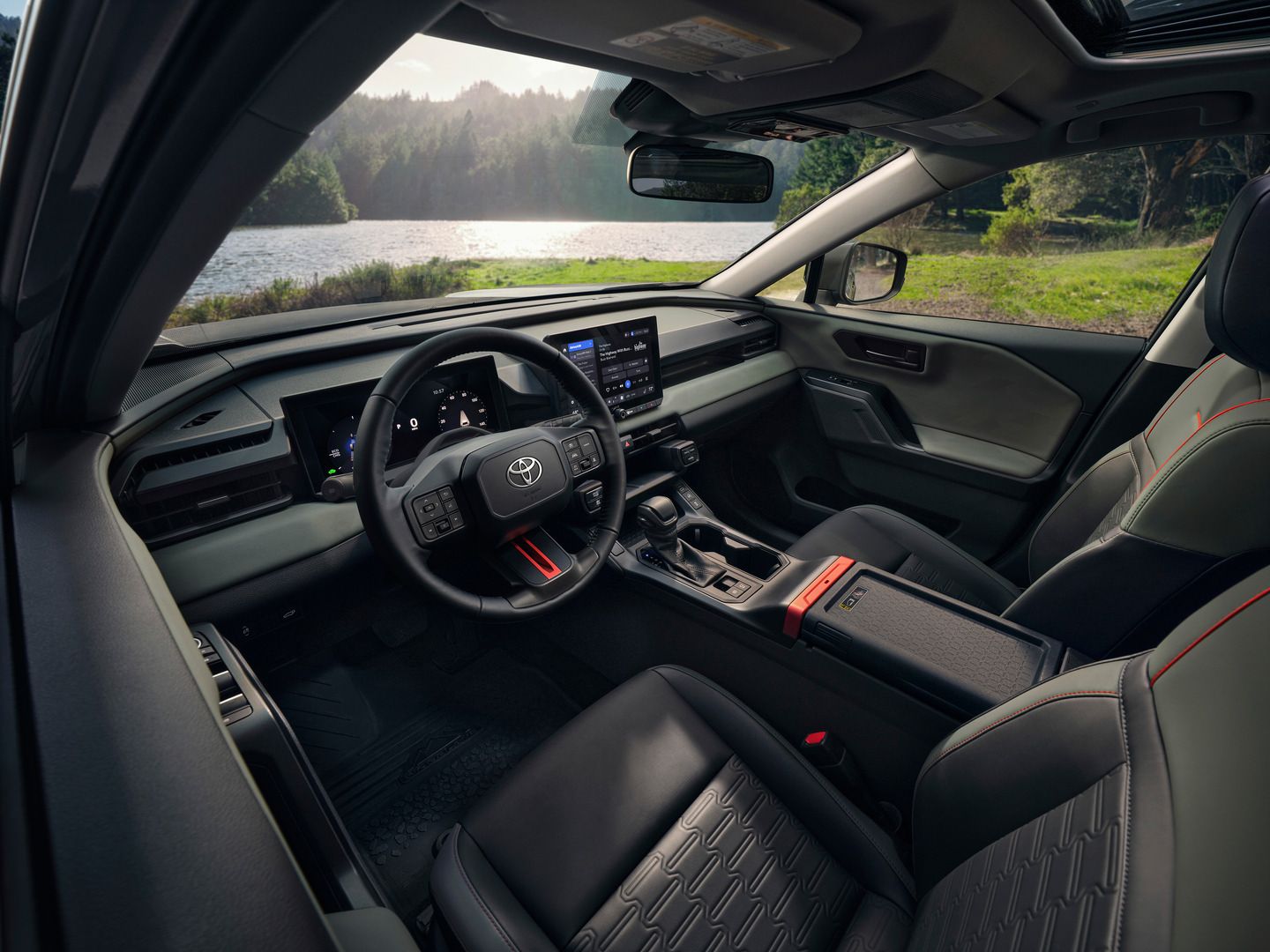
Digital Key allows you to share vehicle access without duplicating physical keys—ideal for multi-driver households.
How to Share Digital Key
- In Toyota App, select your vehicle
- Navigate to Digital Key settings
- Select the sharing option
- Enter recipient's phone number or email
- Recipient receives invitation via app
- They accept and complete enrollment on their device
Access Control
- Grant access to family members who need regular use
- Share temporarily for specific situations
- Revoke access instantly from your app when needed
- Each shared Digital Key can lock, unlock, and start the vehicle
Important Considerations
- Toyota vehicles support a limited number of digital keys per vehicle
- If a smartphone is lost or stolen, contact Erin Park Toyota immediately to revoke Digital Key access
- Physical electronic key recommended as backup for all drivers
Limitations & Backup Plans
When Digital Key May Not Work
Limited Cellular/Internet Coverage:
- Underground parking or remote areas may affect initial setup or management functions
- Day-to-day proximity unlock/start relies primarily on Bluetooth once configured
Dead Smartphone Battery:
- Digital Key cannot function if phone battery is depleted
- Always carry a charged backup battery or physical key
- Charge phone before trips if battery is low
Radio Wave Interference:
- Bluetooth signals can be affected by large metallic structures or electronic interference
- Move to a different location if system doesn't respond immediately
Backup Access Methods
Mechanical Key:
- Located inside electronic key fob
- Slide release lever to remove
- Use to manually unlock driver's door
- Essential backup if electronic systems fail
Electronic Key Fob:
- Always carry physical fob as primary backup
- Wireless remote control functions independently of Digital Key
- Battery life typically 1–2 years
- Erin Park Toyota can replace battery or fob if needed
Which Toyota Models Include These Features?
Digital Key and Remote Connect availability varies by model year, trim level, and multimedia system generation. These features are typically found on select 2022 and newer Toyota models, often on higher or technology-focused trim levels.
How to Confirm Your Vehicle Has These Features
- Check window sticker or dealer specification sheet for "Remote Services" or "Connected Services"
- Look for DCM (Data Communication Module) in equipment list
- Verify multimedia display supports app pairing functionality
- Ask Erin Park Toyota sales team to confirm trim-specific availability for your model of interest
Base trims may not include these features, so always verify the specific VIN or trim sheet before purchase.
Cost & Subscription Details
Toyota App
- Free to download (iOS App Store, Google Play)
- No cost for basic app functionality
Connected Services Subscription
- Remote Connect and Digital Key require active subscription
- Trial period typically included with new vehicle purchase (duration varies by model year and multimedia system)
- Paid subscription required after trial expires
- Subscription tiers vary by services included (Safety Connect, Remote Connect, Drive Connect)
Data Charges
- All cellular data used by Toyota App is your responsibility
- Remote Connect commands use minimal data per transaction
- Wi-Fi recommended for app updates and large data transfers
Subscription Management
- Renew through Toyota App or dealer
- Contact Erin Park Toyota for current pricing and packages
- Multiple subscription term options available
Security & Privacy Considerations
Smartphone Security
- Digital Key-enabled phone can fully control your vehicle
- Use strong passcode/biometric lock on smartphone
- Enable Find My iPhone (iOS) or Find My Device (Android)
- Never leave phone unattended in public spaces
Lost or Stolen Phone
- Contact Erin Park Toyota immediately to revoke Digital Key access
- Revoke access remotely through Toyota App if accessible from another device
- Physical electronic key remains functional during revocation process
Multi-User Households
- Delete all Digital Keys before transferring vehicle ownership
- Revoke access for former drivers immediately
- Monitor Guest Driver features if sharing vehicle with new drivers
Get Started at Erin Park Toyota
Toyota's Digital Key and Remote Connect eliminate the hassle of physical keys while adding convenience that fits Mississauga's urban lifestyle. From remote starting your RAV4 Hybrid to sharing access with family members, these features simplify daily driving.
Ready to experience smartphone vehicle control? Visit our team at Erin Park Toyota in Mississauga to explore models with Digital Key and Remote Connect, test the Toyota App in person, and find the right Connected Services subscription for your needs. Our specialists will walk you through enrollment, answer questions about compatibility, and ensure you're set up for seamless smartphone integration.